

Knowbler Release Notes (Q1 ‘26)
The first quarterly release of Knowbler in 2026 is out, and it’s packed with impactful features to make knowledge search and management easier.
Key Features
-
Support agents in Salesforce can now edit published knowledge articles
-
Establish an Efficient Feedback Loop with “Send Back to Author”
-
Share Well-Formatted Messages with Internal Teams and Customers in Zendesk
Edit Published Salesforce Knowledge Articles in Knowbler
Support agents can now edit published articles right from Knowbler without switching to Salesforce. This update provides agents with a unified authoring experience, operational efficiency, and allows them to rapidly update their knowledge base. The feature offers several advantages:
-
The published article remains accessible to readers in Salesforce Knowledge while agents edit its draft and content reviewers review the draft.
-
Once the approved draft is published, it replaces the old version of the article in Salesforce Knowledge.
-
The newly published article is assigned a version number.
-
If the newly published article is attached to a case and an old version of the published article is already linked to the case, the previously linked version is detached.
-
The Overview report and the Article Usage Analytics report track changes in the number of draft, published, and shared articles.
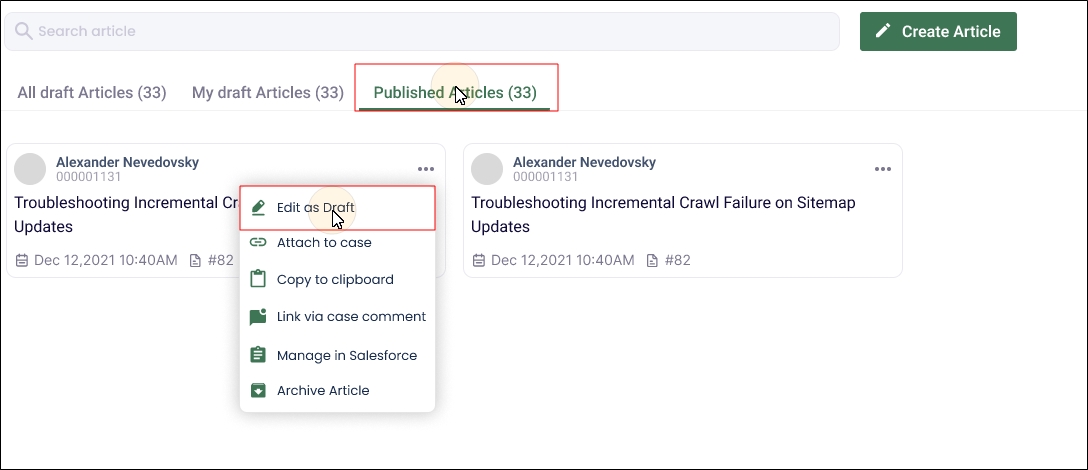
Fig. A snapshot of the Edit as Draft functionality under the Published Articles tab.
More information: Editing Published Articles
Establish an Efficient Feedback Loop with “Send Back to Author”
This release introduces a Send Back to Author feature for agents working in Salesforce. This feature enhances the article review workflow by establishing an efficient feedback loop between content reviewers and support agents authoring the articles. The feature allows content reviewers to send articles back to the authors with detailed textual comments, which the agents can use to revise the articles. The improved articles can be published to Salesforce or resubmitted for another evaluation.
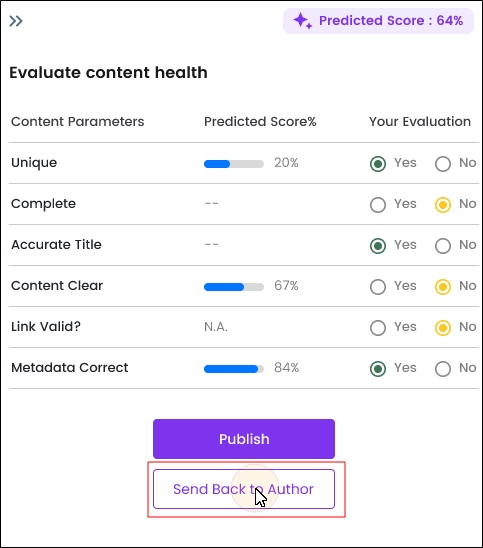
Fig. A snapshot of the “Send Back to Author” button in Knowbler on Salesforce.
Content Reviewers can enter detailed feedback. There is no minimum and maximum length for the feedback. The analytics scores are updated after each feedback.
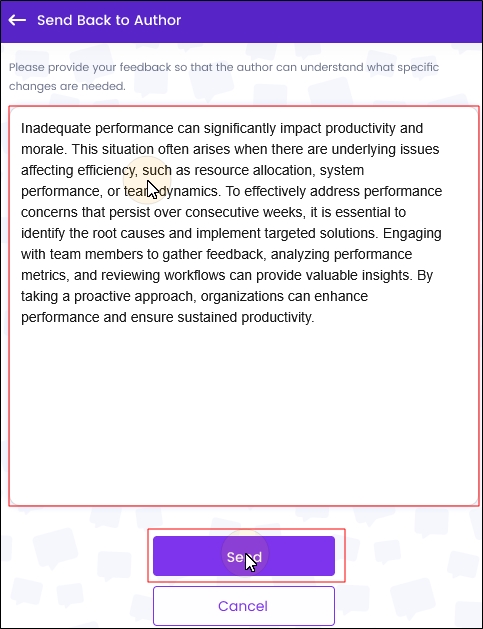
Fig. A snapshot of the feedback textbox in Knowbler in Salesforce.
The agents can view the articles shared with them with the feedback in Knowbler and through email.
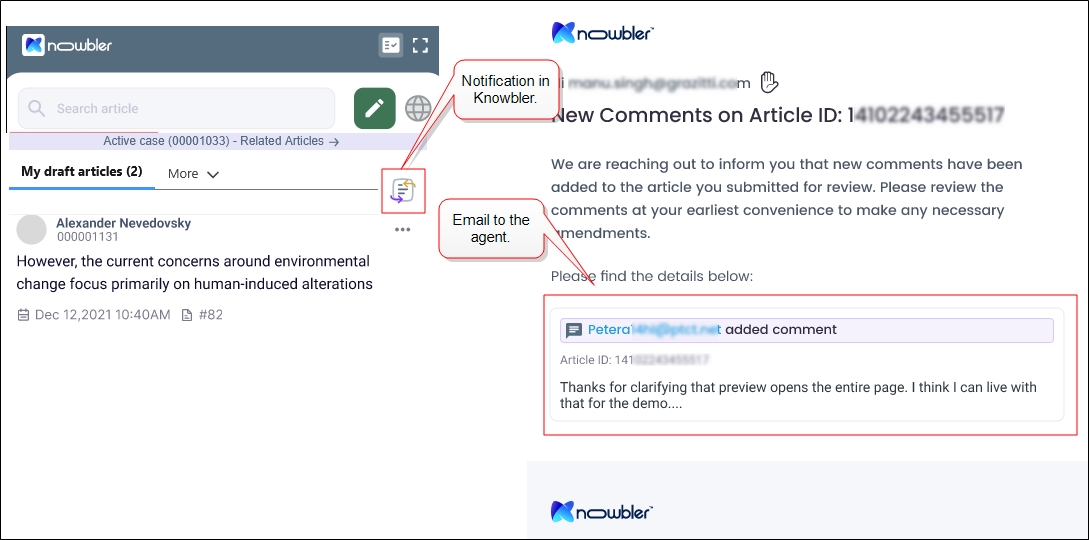
Fig. A snapshot of a notification and email received by an agent.
More information: Send Back to Author (Content Reviewers), View Feedback from Content Reviewers
Share Well-Formatted Messages with Internal Teams and Customers in Zendesk
Support agents working in Zendesk can share context-rich ticket comments from inside Knowbler. The compose box for the comments supports formatted text, hyperlinks. Earlier, to use these capabilities, agents had to switch from Knowbler to Zendesk, which disrupted the agent’s workflow and slowed down communication within teams and with customers. That back-and-forth switching is no longer necessary.
The agents can include hyperlinks to improve clarity in customer responses and use the tagging feature to share updates with the right people quickly. The use of the single interface reduces workflow disruptions and the likelihood of errors. The comments can be shared with multiple individuals in the internal team and customers simultaneously.
The option to compose context-rich comments is displayed when an agent clicks on Link via ticket comment in Knowbler.
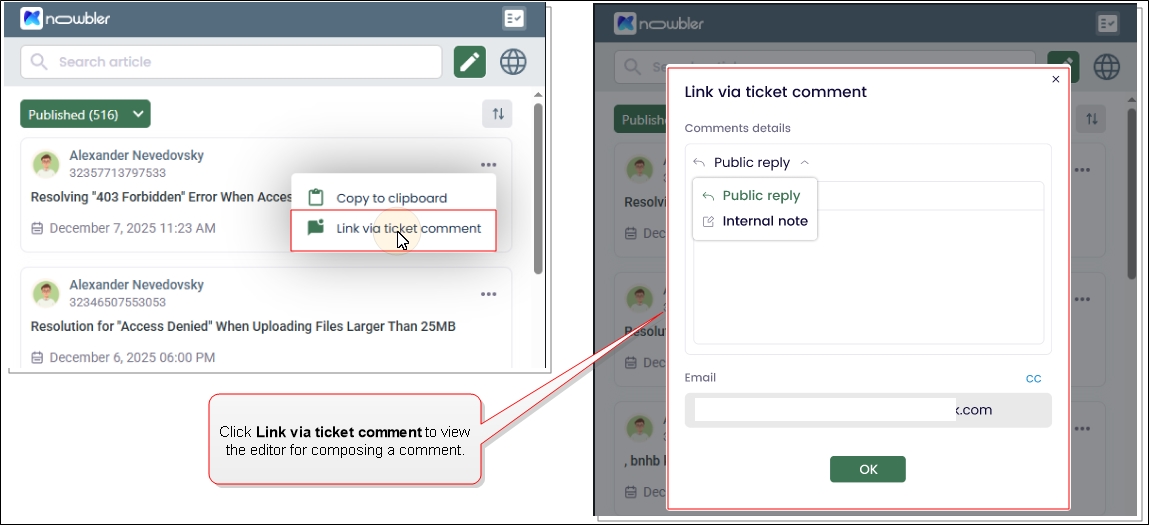
Fig. A snapshot of the Link via ticket comment option and the text editor where the comment is composed.
More information: Knowbler for Agents in Zendesk: Link via ticket comment