Configure FreshService in Knowbler
A Service Desk Management Tool is where support agents work and a Knowledge Management Tool is where support articles are published. Zendesk fulfills both functions.
-
Log into Knowbler.
-
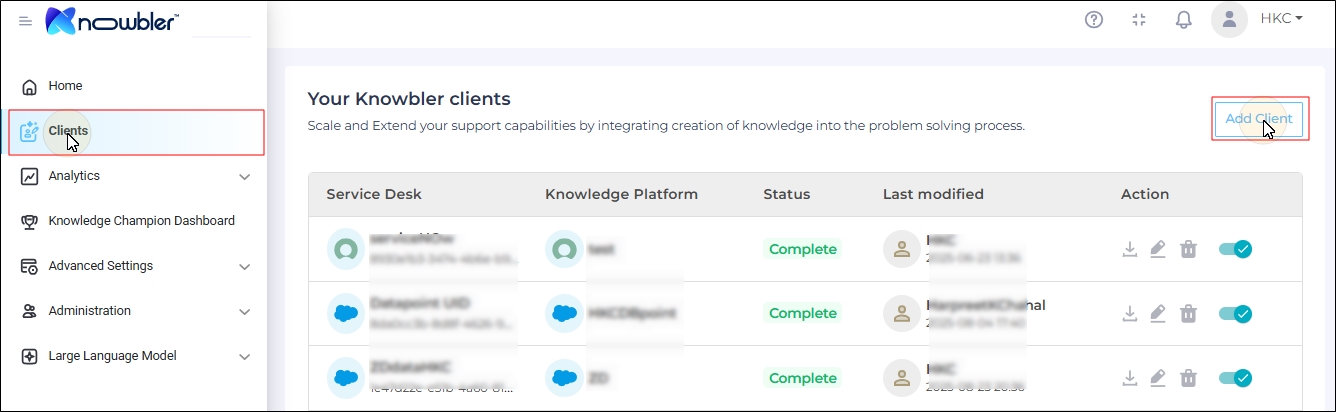
Go to Clients, and click Add Client.
Note: First time users can click Get Started.
-
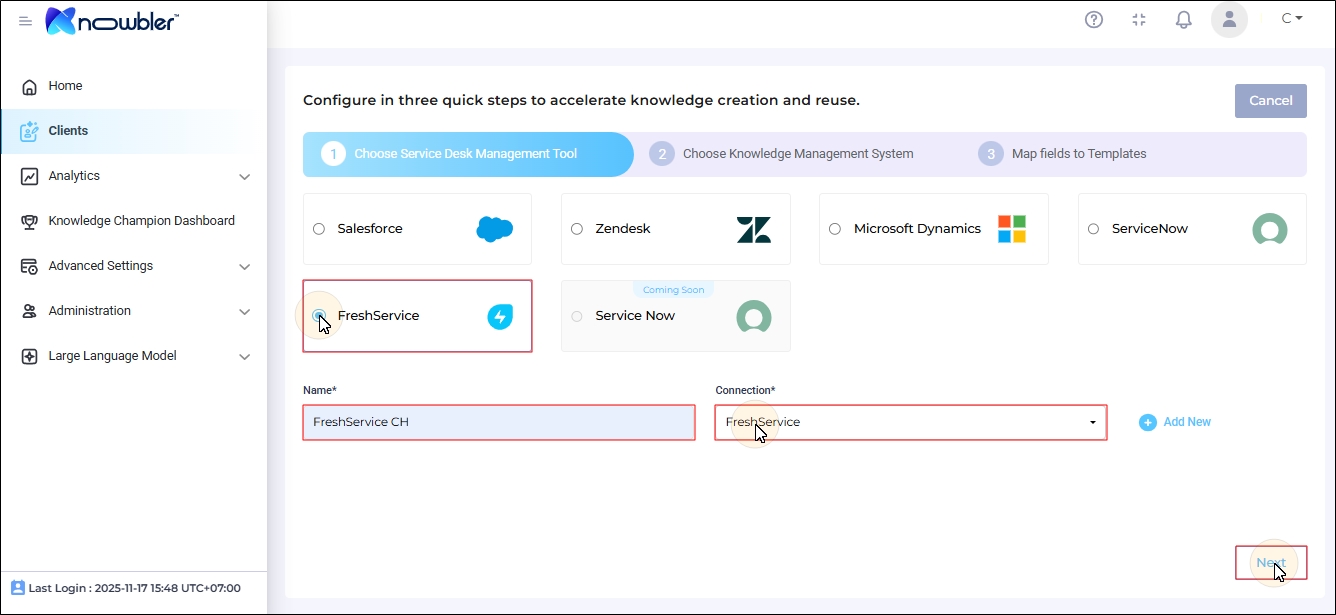
Select FreshService.
-
Each client has a unique label. Please provide a label for your installation in the Name field.
-
Select a Connection from the Connections dropdown. If you haven't linked FreshService to Knowbler yet, click Add New and follow the instructions in Add FreshService and Khoros Connections.
-
Click Next.
-
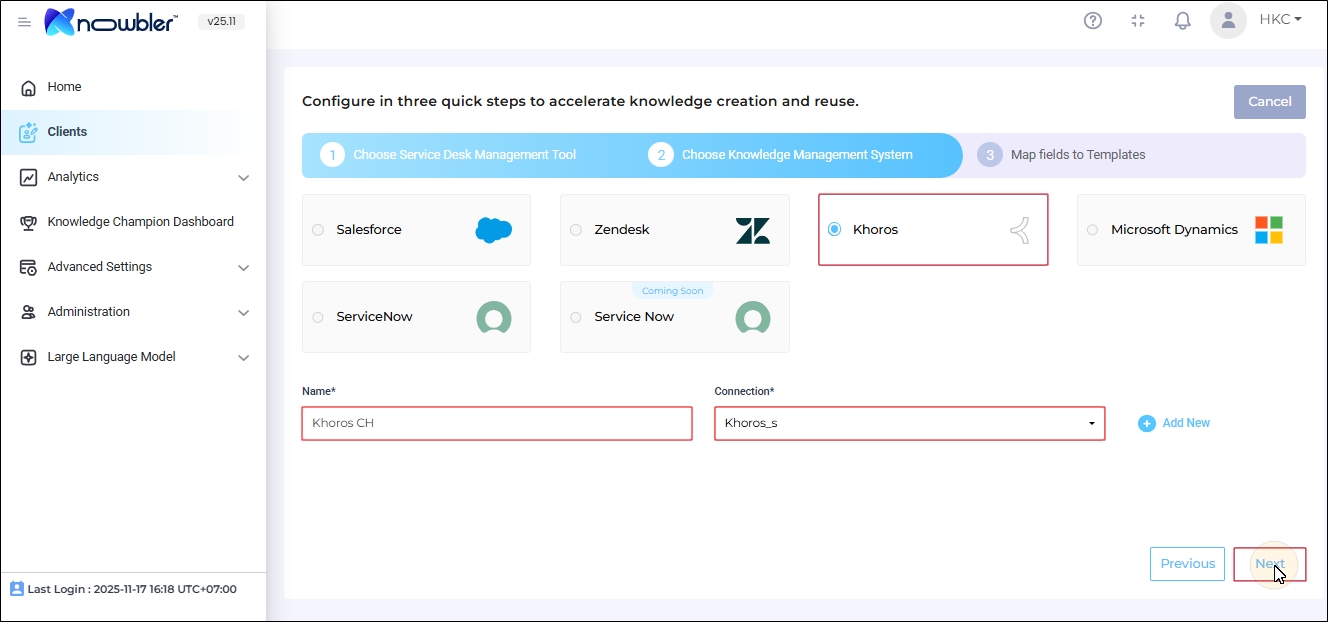
Khoros is the only Knowledge Management System (KMS) supported for FreshService. It is auto-selected. Enter a label for the KMS in the Name field and click Next.
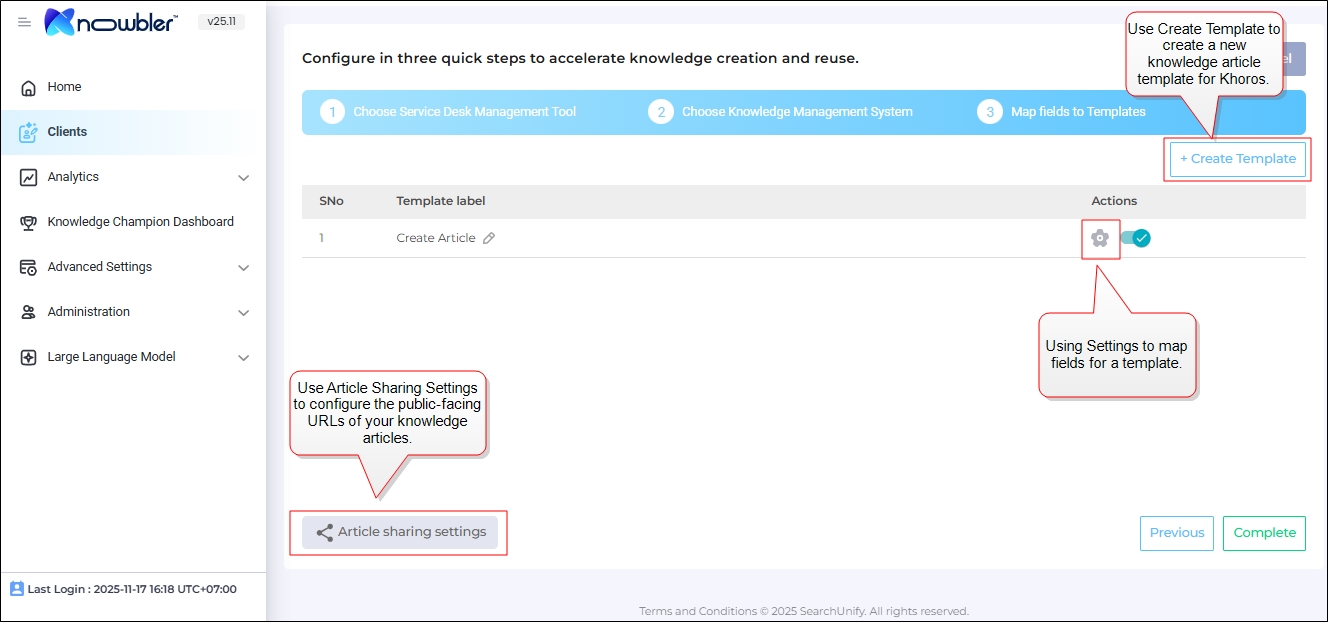
The Mapping Screen is displayed. There are two configurations:
-
Article Sharing Settings: Configure Article Sharing Settings for Khoros
-
Field Mapping: Map Fields for Knowledge Article Generation in Khoros