Knowbler Release Notes (Q2 ‘26)
The second quarterly release of Knowbler in 2026 is out. This highlights of this release are the launch of Knowbler Analytics API and Knowledge Base Effectiveness.
Access Knowbler Analytics via API
Knowbler Analytics can now be accessed through the newly-launched API interface, which provides access to:
-
Adoption Analytics
-
Content Health Reports
-
Gamification Numbers
The complete documentation is available on Swagger, which can be accessed on https://{{your-instance}}.searchunify.com/api-docs/knowbler. Replace {{your-instance}} with your instance name.
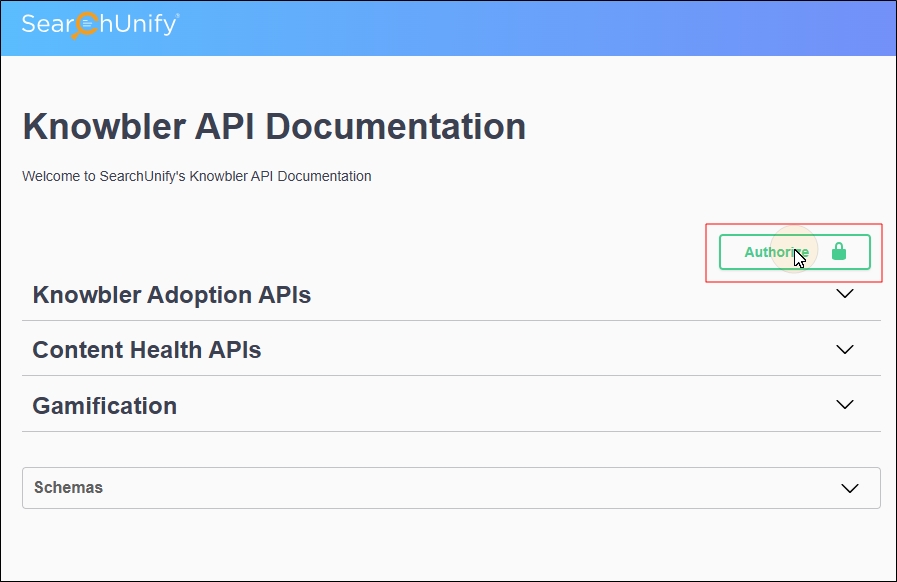
To use Swagger, admins need to first create an app in Knowbler and obtain its client ID and client secret.
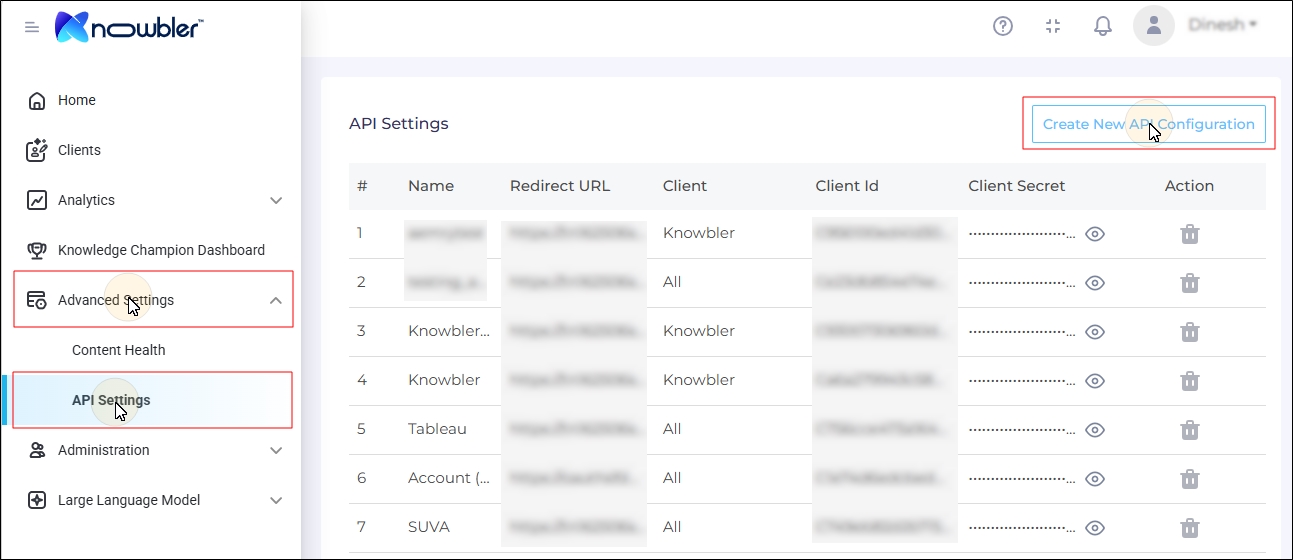
More information: API Settings
Upper Limit of 2000 Results in Knowbler Search Removed
Search in Knowbler in Salesforce is available in two modes:
-
Knowbler Search
-
Federated Search
Until now, Knowbler, after analyzing all the articles in Salesforce, could fetch only 2000 articles in one go because of a limit imposed by Salesforce’s APIs, which capped results at 2000. That restriction no longer applies — all relevant knowledge-base results are now returned.
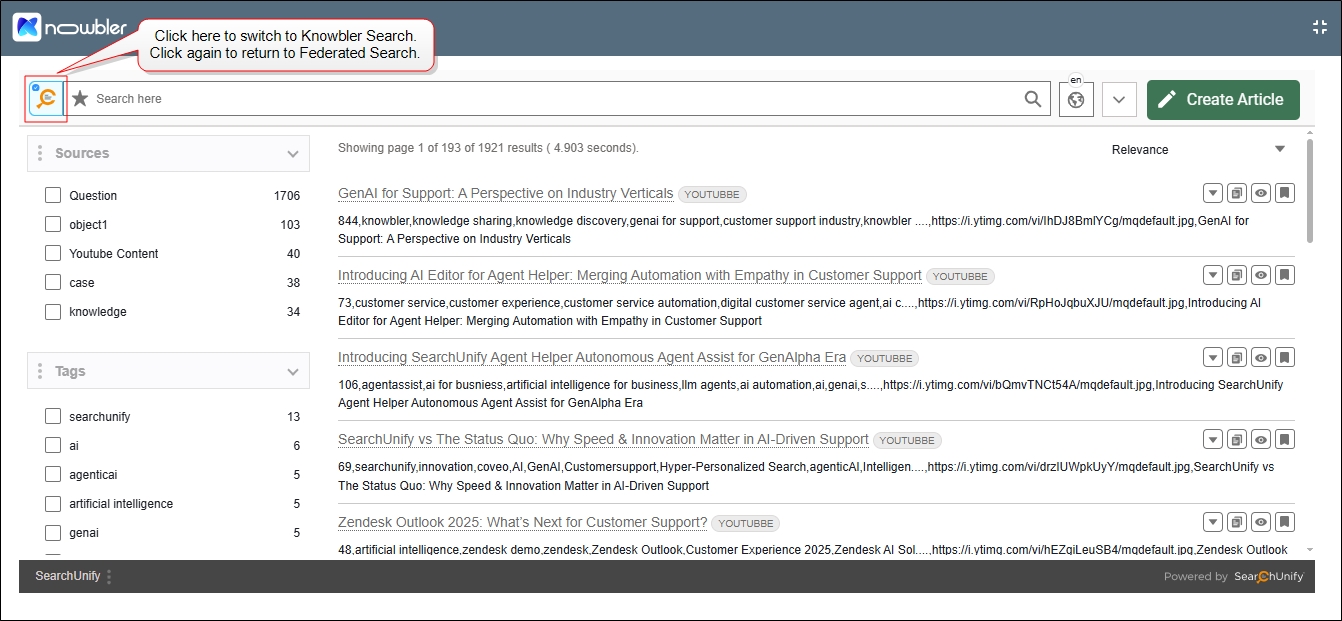
Fig. A snapshot of Federated Search in Knowbler with Switch-to-Knowbler-Search button highlighted.
More information: Knowbler for Agents in Salesforce
Case and Knowledge Article Visualization Introduced in “Knowledge Base Effectiveness"
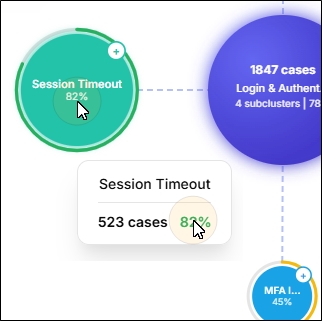
The newly-introduced Knowledge Base Effectiveness in Analytics > Intelligent Insights organizes support cases into up to three levels with up to 10 clusters visualized for each level. The goal of the visualization is to help the managers quickly spot the biggest issue areas and drill down from broad topics (e.g., Login) to specific sub-issues (e.g., Password problems). Using the visualization, you can reduce case resolution time, improve knowledge quality, and increase operational efficiency.
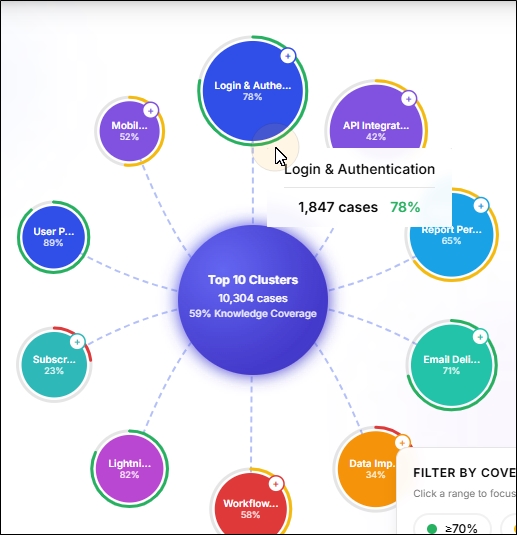
Each cluster shows Knowledge Coverage, letting you immediately see how many cases are already supported by relevant help articles—so you can focus effort on the remaining gap where content is missing. By matching case clusters to knowledge article clusters, the report highlights misalignment between what customers ask for and what your knowledge base provides, helping teams create or improve articles to reduce unresolved cases and improve customer self-service.